Best AI Image Generator Tools for Creatives in 2026
Author:Arooba
Released:March 1, 2026
AI image generation has moved well past the experimental stage. The tools available today are used in production pipelines at design agencies, in-house creative teams, and solo freelance practices — not occasionally, but routinely.
The quality difference between AI-generated images and the ones that have been taken by a professional photographer/illustration has become so thin that nobody can tell the difference most of the time, and in many cases, it does not matter.
Why AI Image Tools Have Become Serious Production Tools
Speed is the obvious benefit, but it's not the most interesting one. The real shift is what becomes possible when generating a visual costs almost nothing in time or money.
A creative director is able to test 5 visual directions in a morning as opposed to commissioning one. Freelancers are able to offer refined mockups as opposed to sketches during the pitching process. The small brands will be able to establish regular, high-quality visual content without a full-time creative team.
The McKinsey report on The State of AI in 2025 indicates that 88% of organizations have already adopted AI in one or more business processes, with the adoption of generative AI surging by 33%-72% in a single year, and also encompasses creative and marketing processes.
The tools that follow have earned their place through actual professional use, not hype cycles.
Top Artificial Intelligence Image Generator Tools
1. Midjourney- Unmatched Visual Quality
Ask any creative practitioner what artificial intelligence image generator creates the most attractive images, and Midjourney will place in the top three every time. The aesthetic quality, ty the manner in which it treats light, depth, texture, and composition, yet remains ahead of all other platforms.

Version 7, launched in April 2025, is a full architectural rebuild and the current default. Prompt interpretation, texture quality, and anatomy rendering all improved significantly. Video generation arrived in June 2025 — 5–21-second clips from static images.
Draft Mode runs at ten times the speed and half the cost of standard. V7 personalization works by rating 200 images; the model then weights outputs toward that aesthetic profile.
Where it fits: editorial photography, concept art, high-end brand campaigns, luxury product imagery, and any project where the visual must carry emotional weight.
Pricing starts at $10/month for personal use. Commercial licensing requires the Pro plan at $60/month; worth noting before using outputs in paid client work.
The Discord interface remains the primary friction point for professional users, though a web app with a dedicated editor and layering capabilities now handles most workflows without it.
2. DALL-E 3- Best Text to Image AI for Accessibility
DALL-E 3's core advantage has nothing to do with image quality; it's about how easy it is to use. The model interprets plain, conversational language better than any other platform. No learning a proprietary prompt syntax. There was no time wasted on trying to figure out why a simple requestwass still responding in the wrong way.
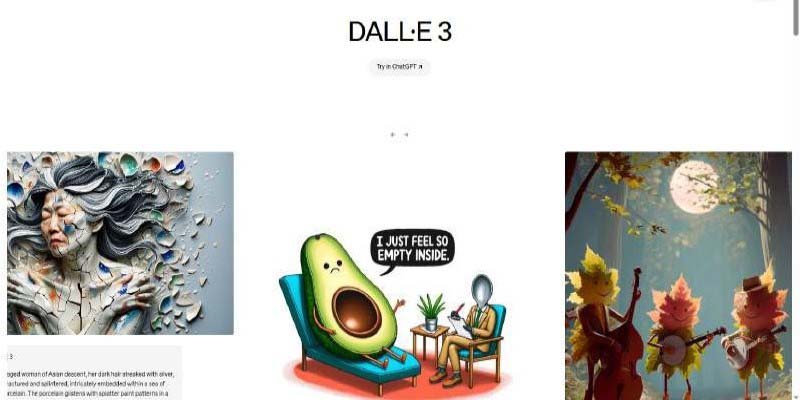
Describe what is needed as you would to a human, nd DALL-E 3 will perform text-to-image AI in a reasonably accurate way. Such an easy gateway is a blessing to the marketing teams, brand strategists, and non-designers who require the visuals on short notice. That smooth entry point is a boon for marketing teams, brand strategists, and non-designers who need visuals quickly.
The other standout capability: readable text within images. Generating a promotional graphic with legible copy embedded in the design was essentially impossible with earlier AI models. DALL-E 3 handles it reliably; not perfectly every time, but consistently enough for practical use.
Access is available through ChatGPT Plus at $20/month or via the OpenAI API at roughly $0.04–$0.08 per image. Teams integrating it into internal tools or client-facing products will find the API to be the more practical route.
Where it fits: content marketing, social media teams, internal presentations, rapid concept mockups, any context where design skill isn't available but visuals are still needed.
3. Adobe Firefly- Best AI Art Generator for Commercial Work
Commercial licensing is a key factor in many professional creative works, and Adobe Firefly offers the clearest answer. Every image generated by the Firefly AI art generator includes commercial usage rights. Adobe trained the model exclusively on licensed Adobe Stock material, openly licensed content, and public domain imagery.
For agency work or paid client deliverables, that legal clarity removes real risk. There have been major upgrades to the Photoshop integration extending through 2026 - Generative Fill, Generative Expand, and the Remove tool now generate 2K output, with sharper detail and fewer artifacts, the results of which are more realistic to the prompt and more lifelike to lighting and depth.
The Firefly Image Editor has also been extended to a standalone application with Generative Fill, Generative Remove, Generative Expand, Generative Upscale, and one-second background removal,l all integrated into one clean workspace. For users outside Photoshop, this makes Firefly a practical standalone option for image editing and generation without requiring a full Creative Cloud subscription.
Firefly Image Model 5, launched at Adobe MAX 2025, added a Prompt to Edit tool that lets users describe edits in plain language rather than technical prompts, and brought support for third-party models, including Google Gemini 2.5 Flash Image and Black Forest Labs FLUX.1 Kontext directly into Generative Fill.
Standalone access starts at $4.99/month for 100 generative credits. Most Creative Cloud subscribers already have Firefly credits included.
Where it fits: agency creative work, client campaigns, product retouching, brand asset production, and any work requiring documented commercial usage rights.
4. Stable Diffusion- Best AI Image Tool for Full Control
Every other tool on this list operates within limits set by the platform. Stable Diffusion doesn't. It's open-source, runs locally on a capable GPU, and can be fine-tuned on any proprietary image library, allowing the visual style, character consistency, and output parameters to be customized to a degree no closed platform allows.
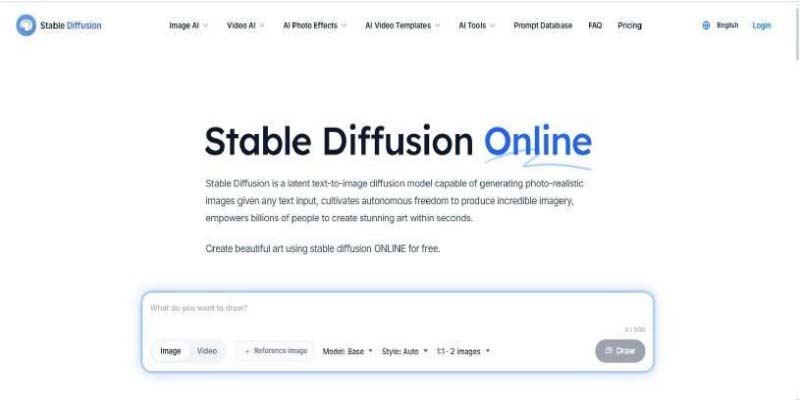
The practical implications are significant for certain types of work. Game studios can train models on their own character designs. Strict brand policies in agencies allow refining outputs to a given visual identity. Stable Diffusion can be integrated by developers into custom products with no dependency on platforms or image-specific charges.
The Civitai community hosts thousands of specialized models for specific aesthetics, industries, and styles. ControlNet extensions allow precise control over composition and structure. The tooling around Stable Diffusion is deeper than anything available elsewhere.
The honest caveat is that this needs some technical investment. Setting up a clean and reliable Stable Diffusion workflow takes real time and a bit of comfort with technical setup. Using the DreamStudio cloud or the Stability AI API may require less hardware, but it still assumes you have some level of technical knowledge.
Where it fits: game development studios, technical creative teams, developers building AI image tools, and agencies needing custom-trained proprietary models.
5. Ideogram- Best for Text Inside Images
Every platform listed above still struggles to render clean, styled, and legible text within a generated image. Ideogram was specifically designed to solve this, and it outperforms anything else available.
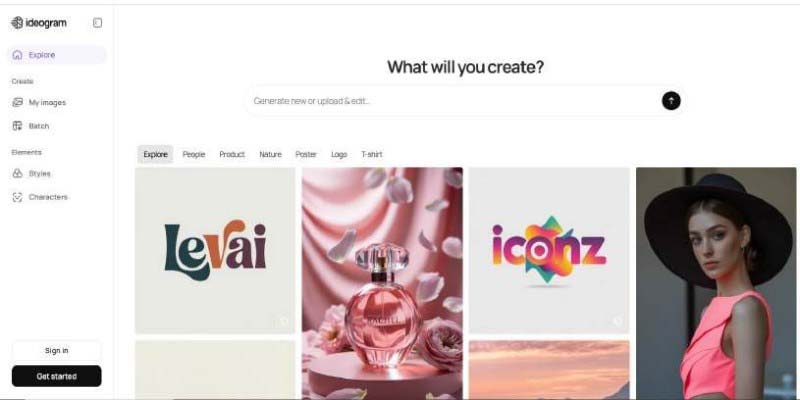
Social media graphics with bold typographic headlines. Event posters. Promotional banners. Branded templates. Any design where copy is part of the visual composition rather than added afterward in a separate tool. Ideogram handles these use cases with greater accuracy than other models.
Ideogram 3.0, released in March 2025, introduced Style References — allowing users to upload up to three reference images to guide the aesthetic of their generations without additional prompting. It also added access to over 4.3 billion style presets via a Random Style feature, with the ability to save and reuse looks via Style Codes for brand consistency across multiple outputs.
The 3.0 model is available in three variants — Turbo, Balanced, and Quality — giving users control over the trade-off between generation speed and output fidelity depending on the task. A subsequent May 2025 update added Magic Fill and Extend, enabling inpainting and outpainting directly within the Ideogram Canvas.
There is a free version with basic functionality; the paid version starts at 8/month and offers higher resolution when exporting files and more generations.
Where it fits: social media managers, brand designers, content creators producing promotional graphics, and anyone regularly working with type-heavy visual formats.
Choosing the Right Artificial Intelligence Image Generator
Matching the tool to the actual work produces better results than chasing rankings. A simple breakdown:
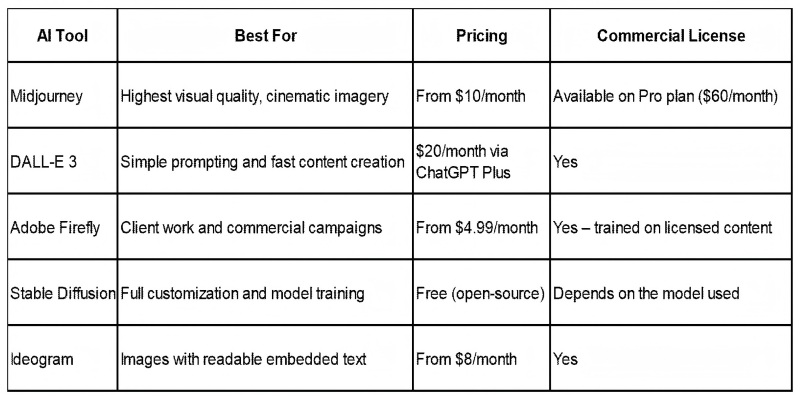
Most professional creatives settle on two tools: one for quality-critical outputs and one for fast internal iteration. Midjourney and DALL-E 3are a common pairing. Firefly and Midjourney work well for agency teams. The combination worth avoiding: signing up for five platforms and using none of them well.
What These AI Image Tools Still Can't Do
Honest limitations matter more than promotional comparisons. A few things worth knowing before committing time to any of these platforms:
Prompt quality directly determines output quality. Vague descriptions produce vague images. Consistent strong results still take time to learn what each model reacts to, and that is not a skill that comes as a given.
Ensuring the visual consistency of a large project like a product catalog or the appearance of a character in several scenes is a challenge that cannot be solved without fine-tuning or hand-processing. No platform solves this reliably out of the box, though Midjourney's Omni Reference feature (in development) and Ideogram's Style Codes are meaningful steps in that direction.
Commercial licensing terms vary significantly between pricing tiers on most platforms. Several grants commercial rights only on higher-priced plans. Checking the specific terms before using an output in a paid campaign is not optional.
Getting Started Without Overcomplicating It
Select one tool based on the use case that occurs most frequently. Spend a week with it on real but low-stakes projects. Free tiers and trials are available across all five platforms, providing enough to form a genuine opinion before paying.
The creatives that extract the most value from these platforms aren't the ones with the largest AI image generator stacks. They're the ones who know one or two platforms deeply enough to get reliable results quickly. That's where the actual time savings come from and where the creative possibilities begin to open up.
Don't Miss
Is Your Job Safe? The Specific Skills AI Agents Still Cannot Replace

Human-AI Collaboration: Why Creativity Still Matters in the AI Era
How AI Is Changing The Future Of Freelancing: What Happens Next

How AI Helps Farmers Increase Crop Yield: Simple Ways Technology Boosts Harvests

AI-Powered Health Trackers: 7 Ways They Interpret Your Data and Explain Your Body